How Wildebloom Works
A pattern that starts with you
Wildebloom creates sewing patterns from your measurements—not a generic size chart.
Choose a design, tailor it online, and download one clean, single-size pattern ready to print, cut, and sew.
Custom fit from your measurements · Built-in fit checks · Re-edit anytime
Your Custom-Fit Pattern, in 3 (+0) Simple Steps
Choose your pattern
Start by choosing a pattern you love.
At checkout, select a starting size to receive a print-ready version right away. When you are ready, open it in Tailor Online to create a version based on your measurements.
Your checkout size does not lock you into a generic fit.
Shop now. Customize when you are ready.
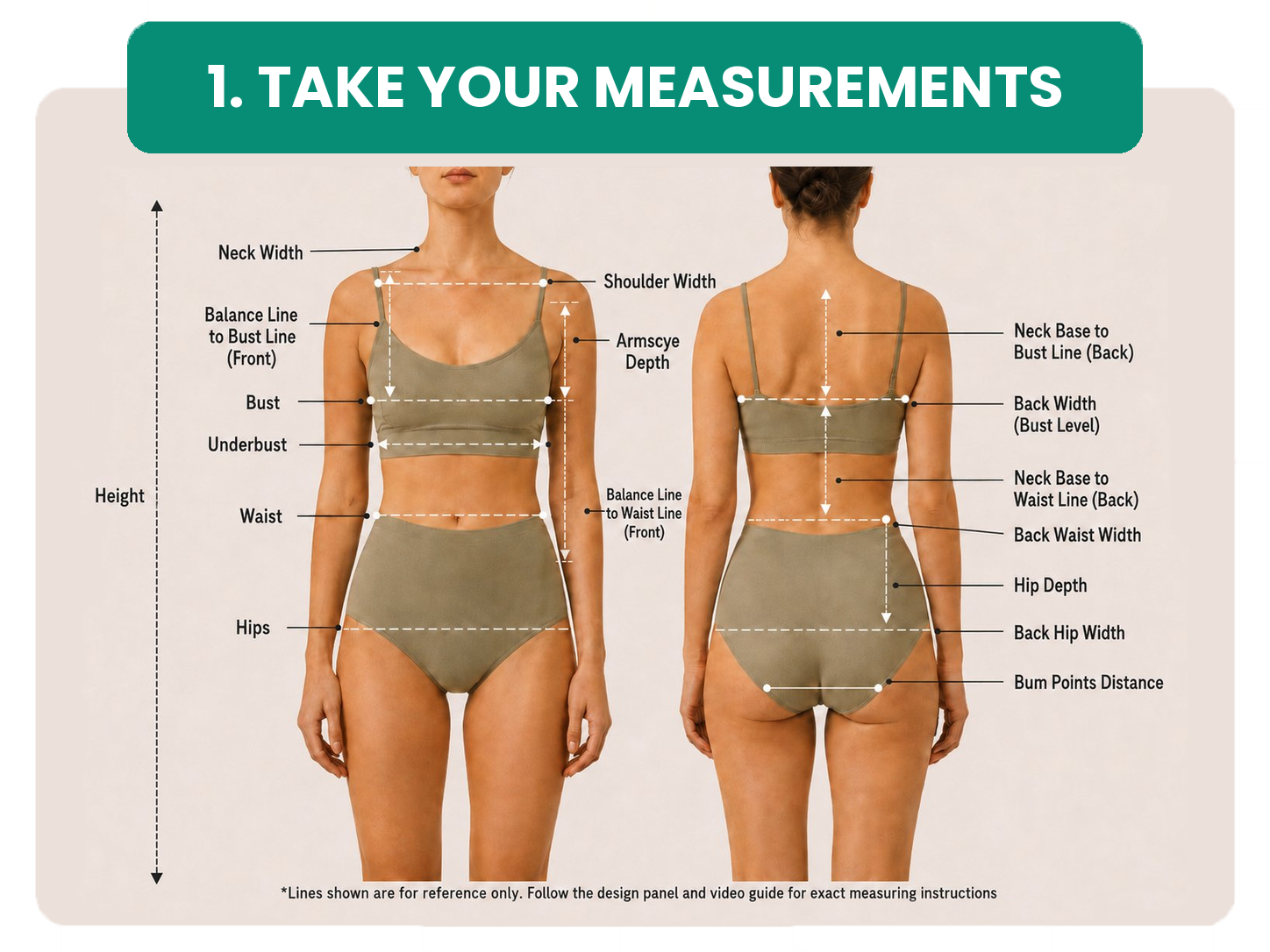
Measure once. Save your Fit Avatar
All you need:
- A soft measuring tape
- About 10 minutes
- A phone, tablet, or computer
- Ideally, someone to help with back measurements
Follow the measurement definitions in your Wildebloom account, and use the video below for extra guidance.
Your measurements are saved to your Fit Avatar, ready to use across future patterns. We look beyond bust, waist, and hips to help each design start closer to your proportions.
You can update your measurements anytime.
Make it yours in Tailor Online
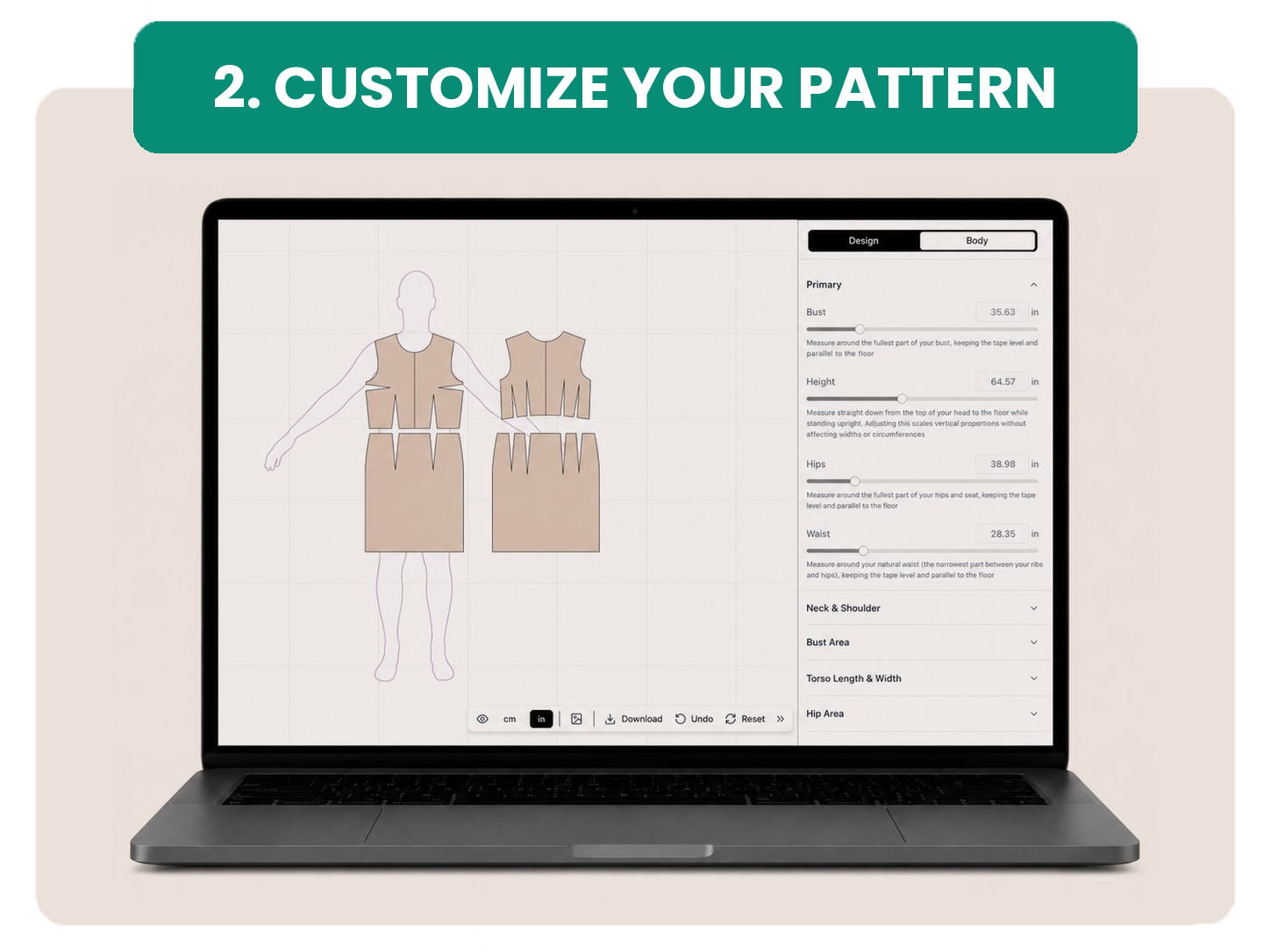
Open your pattern and select Tailor Online.
Apply your Fit Avatar, add your preferred ease, and customize available details before you download. Your pattern updates as you go, so you can review your choices before exporting.
Depending on the pattern, you may be able to adjust:
- Neckline
- Sleeve style or length
- Skirt shape or length
- Ease and fit preference
- Other style-specific details
Built-in fit checks flag anything that may need a second look before you print or cut fabric.
Download, print, and sew
When you are happy with your pattern, download it in the format that works for you:
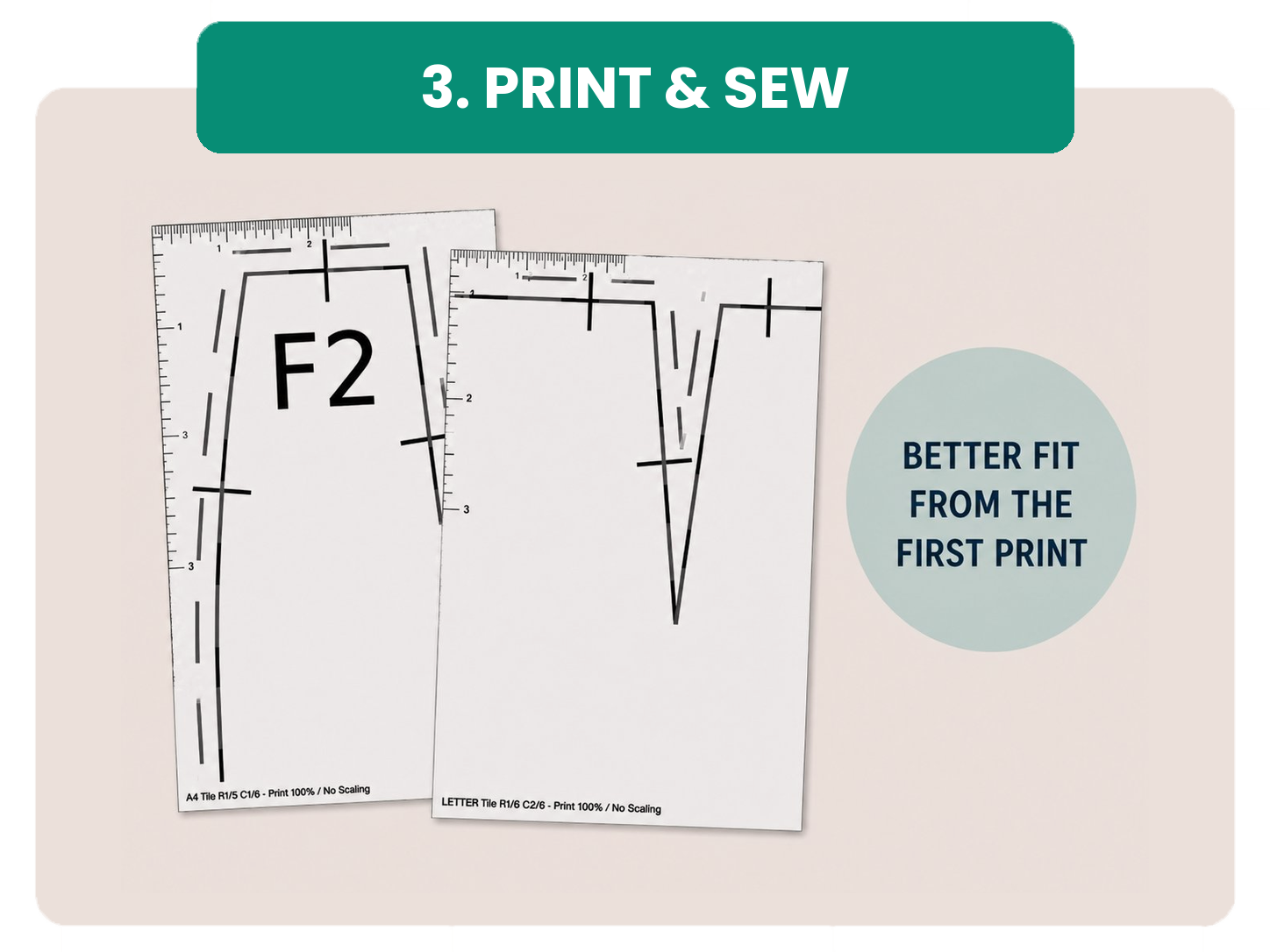
- US Letter or A4 for home printing
- A0 for copy-shop printing
- Vector PDF for digital workflows
Your custom version is one clean, single-size file based on your measurements and choices.
Home-print files are designed for edge-to-edge assembly: no nested size lines, trimming margins, or overlapping pages.
Print at 100%, check the scale ruler, tape the pages together, and sew.
Need to make changes later? Update your measurements or design choices in your library and download a new version anytime.
What “custom fit” means at Wildebloom
A more personal starting point
Wildebloom uses your measurements to help you start closer to the fit you want—less grading, less guesswork, and fewer alterations.
As with any sewing project, final fit still depends on measurement accuracy, preferred ease, fabric, sewing, and personal preferences.
For many projects, Wildebloom can help you skip the usual size blending, major alterations, or even the muslin entirely. For very fitted styles, unfamiliar fabrics, or precious materials, you may still want to make a test version.
Either way, you are starting with a pattern made from your measurements—not a generic size chart.
The Wildebloom Fit Guarantee
A little more confidence from the start.
Custom-Fit Start
Your pattern begins with your measurements, not a generic size chart.
Re-Edit Anytime
Update your Fit Avatar, customize available details, and download a new version anytime.
Fit Support Included
Need help measuring or customizing? Send us a message. We usually respond within 48 hours.
30-Day Fit Issue Refund
If there is a confirmed pattern-related fit issue after customization, we will refund your order.
Frequently asked questions
Do I need my measurements before I buy?
Why do I select a size at checkout?
Is this just grading between standard sizes?
Will I receive a physical pattern?
Do I need to trim or overlap home-print pages?
Can I change my measurements later?
Are Wildebloom patterns AI-generated?
Do I still need to make a muslin?
See all FAQs at wildebloom.io/faq →
Ready to make a pattern that starts with you?
Choose a design you love, then make it your own.
Custom fit from your measurements · Clean single-line files · Re-edit anytime